digital painting - photo manipulation - stack filtering - image processing - slit scan - studio artist
Showing posts with label temporal rank neighborhood. Show all posts

Wednesday, September 29, 2010

Mutation 49


A seven frame temporal processing window was used with the temporal rank median filter to generate this portrait from the original self portrait stack.

Friday, September 24, 2010

Mutation 43


This portrait was generated by processing the spatially normalized self portraits with a temporal rank neighborhood filter.

Thursday, September 23, 2010

Mutation 42


This portrait was generated by stack filtering the spatially aligned self portraits with a different temporal rank neighborhood filter preset.

Wednesday, September 22, 2010

Mutation 41


This portrait was generated by stack filtering the spatially normalized self portraits with the temporal rank neighborhood filter.

Tuesday, September 14, 2010

Mutation 35


This portrait was generated by processing the complete set of self-aligned spatially normalized portraits with the temporal rank mean difference mask filter.

Monday, September 13, 2010

Mutation 34


This portrait image was generated by processing the complete set of spatially aligned self-normalized portraits with the temporal rank MinMask filter.

Sunday, September 12, 2010

Mutation 33


This image was generated by stack filtering the complete set of spatially normalized self portraits with the temporal rank median maximum distance filter.

Saturday, September 11, 2010

Mutation 32


The daily portrait virus mutation posts are going to switch gears slightly for awhile. This new set is based using Michael's daily self portrait virus blog imagery as the source for stack filtering. As opposed to the Siggraph 2010 portrait virus imagery that has been used to date.

The other factor that is slightly different is that during the process of running this whole portrait virus mutation experiment we found a bug in the inverse warp code. I wasn't quite satisfied with the spatially aligned imagery being generated by the stack filtering algorithms. And indeed once the inverse warp code was improved the results of spatially aligned stack filtering did as well.

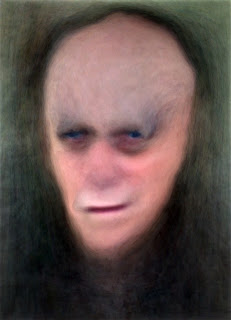
For example, the image above was generated by processing all of Michael's self portrait paintings to date with a temporal mean filter. So you can think of the image as being the generic self portrait. It's like the average portrait, but with all of the face paintings mutually aligned to a standardized portrait (one of the portrait virus images selected at random). The temporal median is also very similar (it isn't always the case).

There's a Studio Artist news blog post on stack filtering portrait images that explains the principals behind how this image was generated (and stack filtering in general) in detail.

At some point i may return to the Siggraph 2010 portrait virus images and redo some of the spatially aligned results shown here, because i think they would be more in line with how i originally thought they would turn out. I had thought about redoing all of the old posts, but discussed this in a Studio Artist Forum post. Part of the point of generating artistic imagery is that mistakes may be just as interesting as technically correct results (sometimes more so). So leaving things the way they progressed as this project developed seemed to make more sense.

Thursday, September 9, 2010

Mutation 30


Temporal rank neighborhood with the max setting. So it's looking for maximum energy in spatially local neighborhoods across the entire stack (the spatially aligned portrait stack in this case).

Thursday, August 26, 2010

Mutation 17


Temporal motion rank filter with the min setting. So we're looking at minimum motion in local neighborhoods across the sequence of original portraits.

Wednesday, August 11, 2010

Mutation 2


Generated with temporal rank neighborhood filtering in Studio Artist 4.

Again, we're working with the original stack of portrait virus images as the input for this effect.